

A Mineral Collection Catalog, Structured by Science
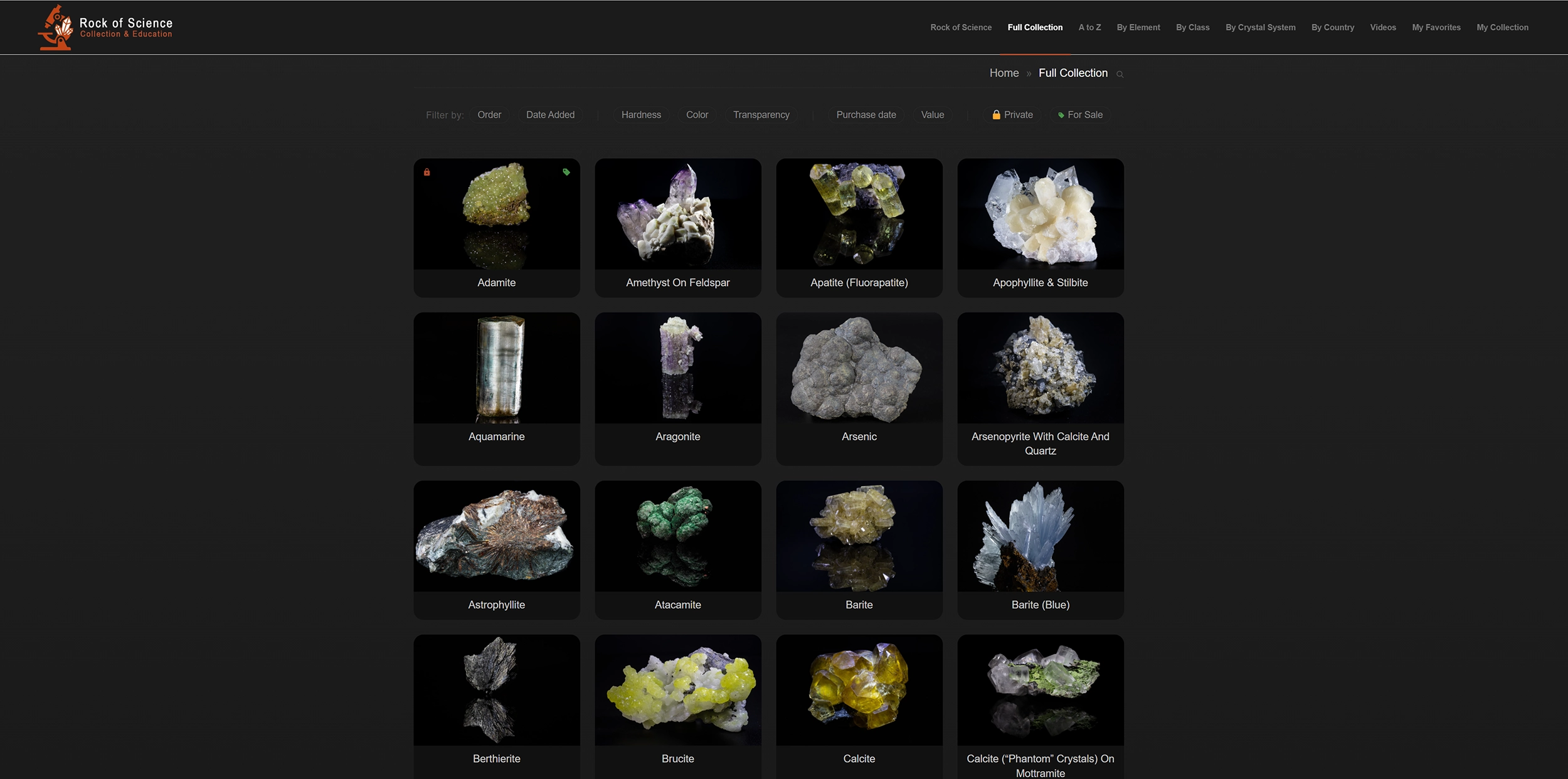
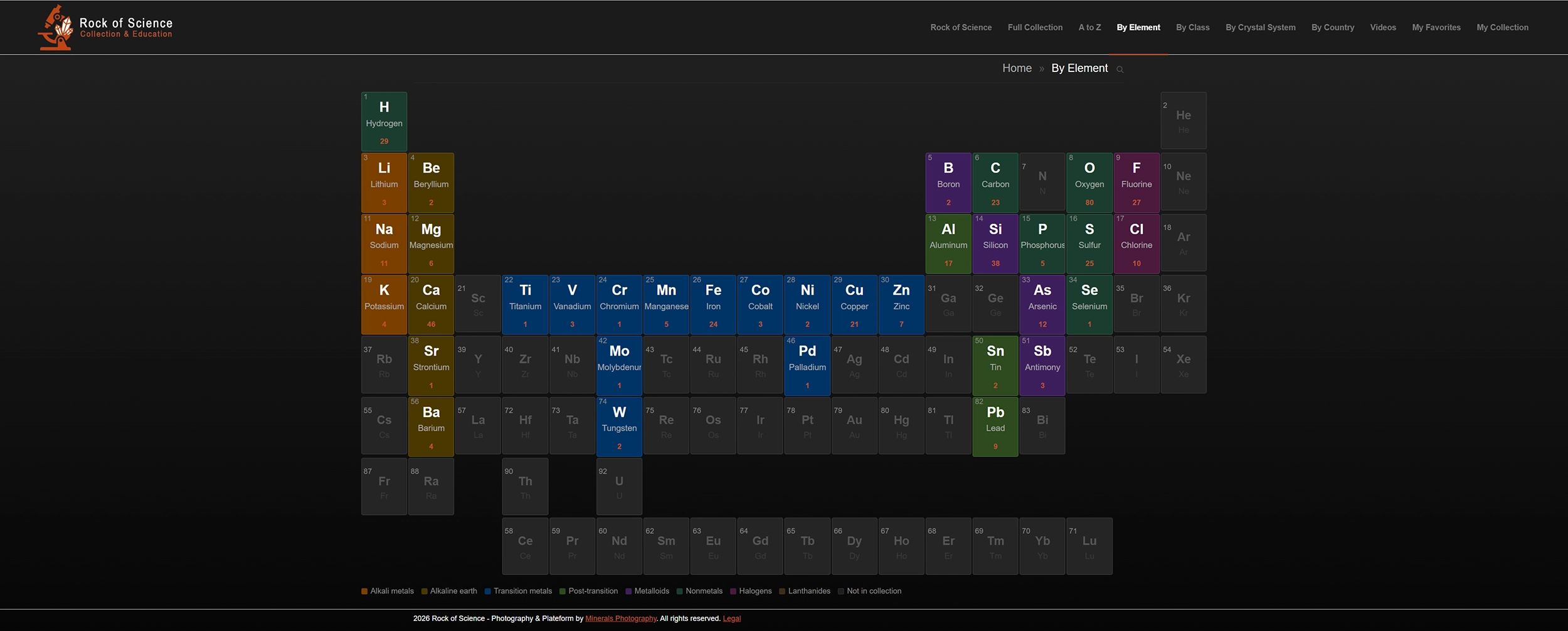
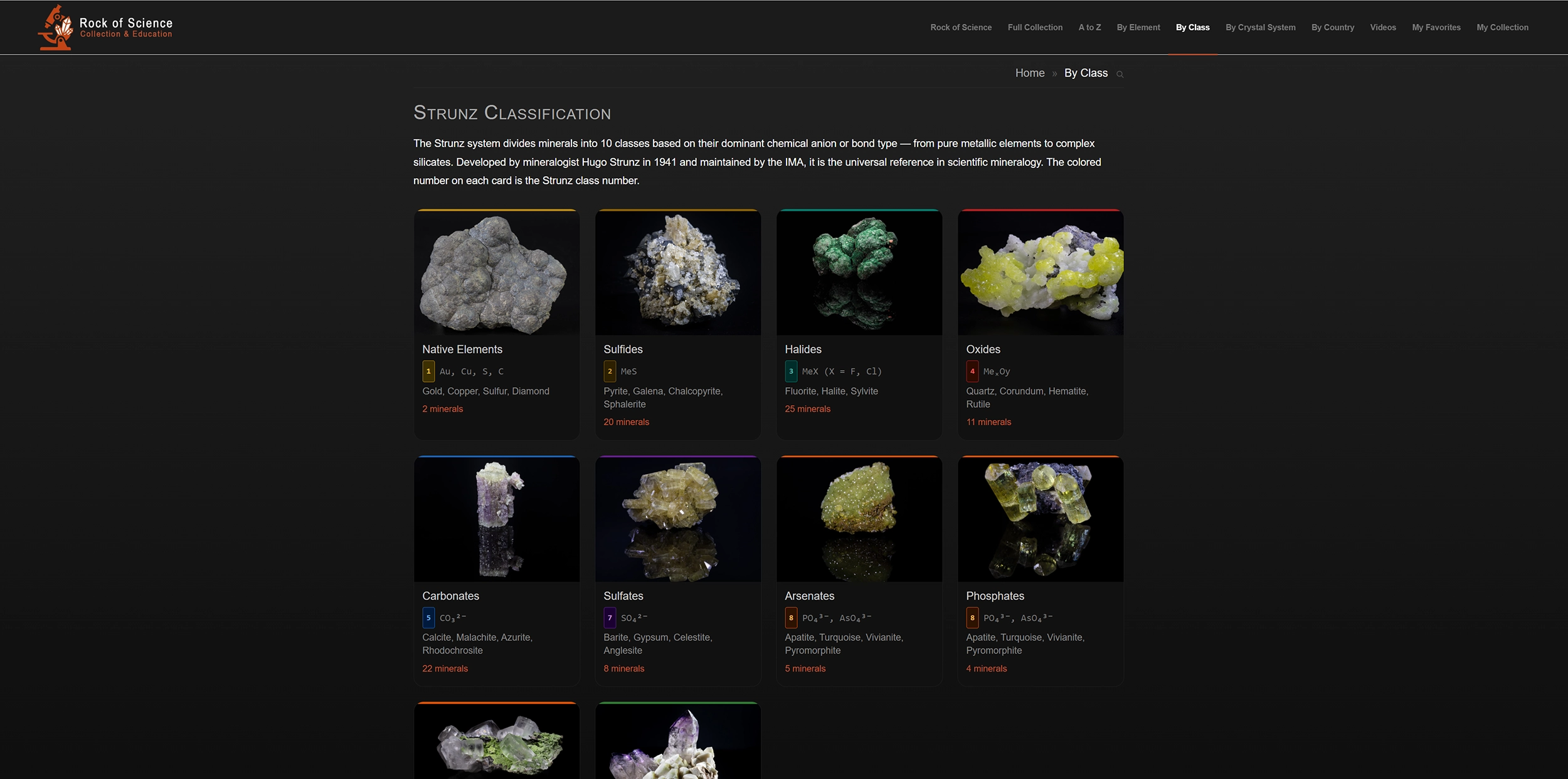
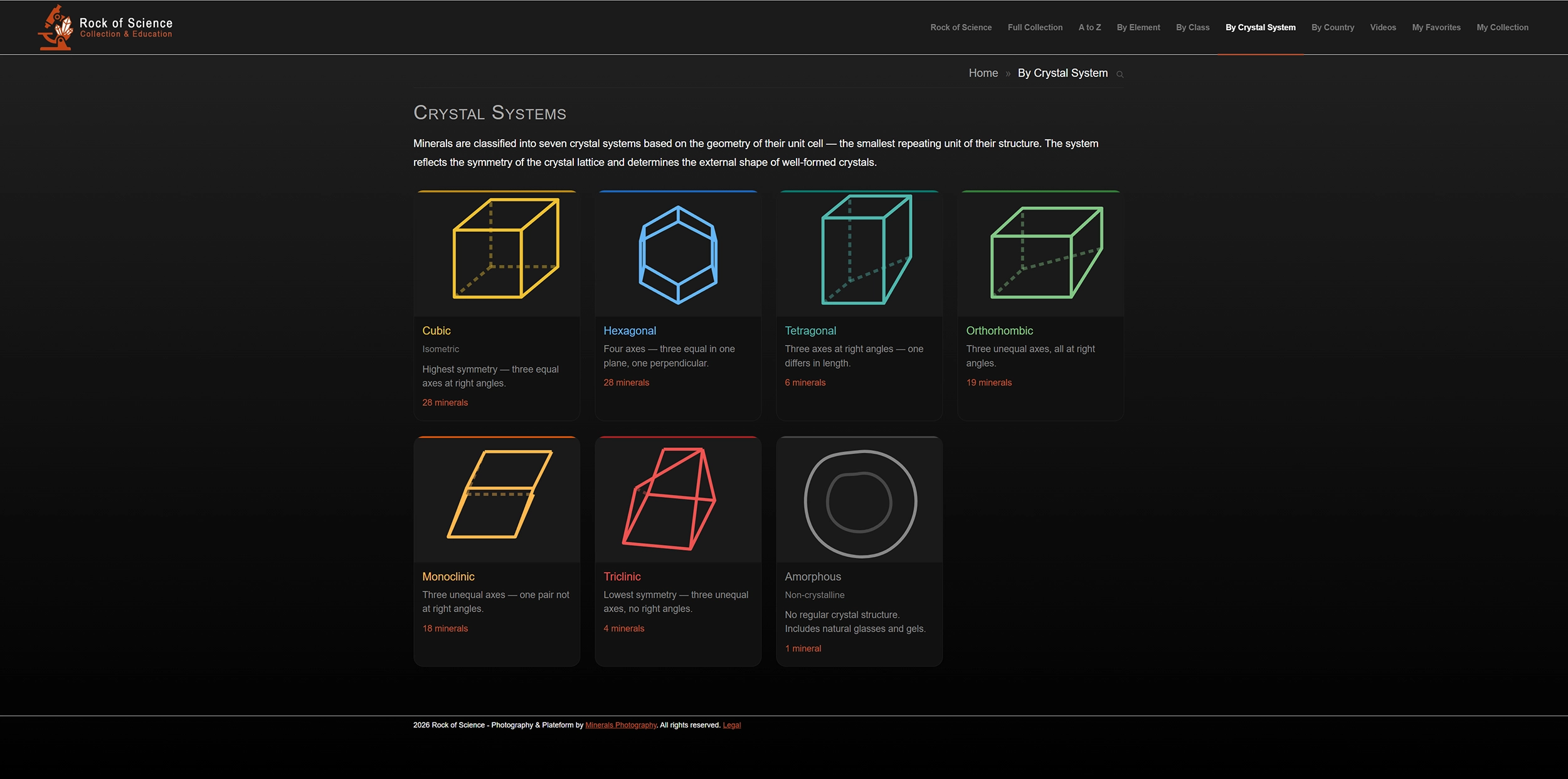
This is not a gallery with a search bar bolted on. It is an interactive catalog built around the way a collector actually thinks. There are eight ways into the same collection, each following a different logic: a fellow collector, a geologist, a buyer, a member of the family, each finds their own. Logged in as the owner, a ninth opens, yours alone.
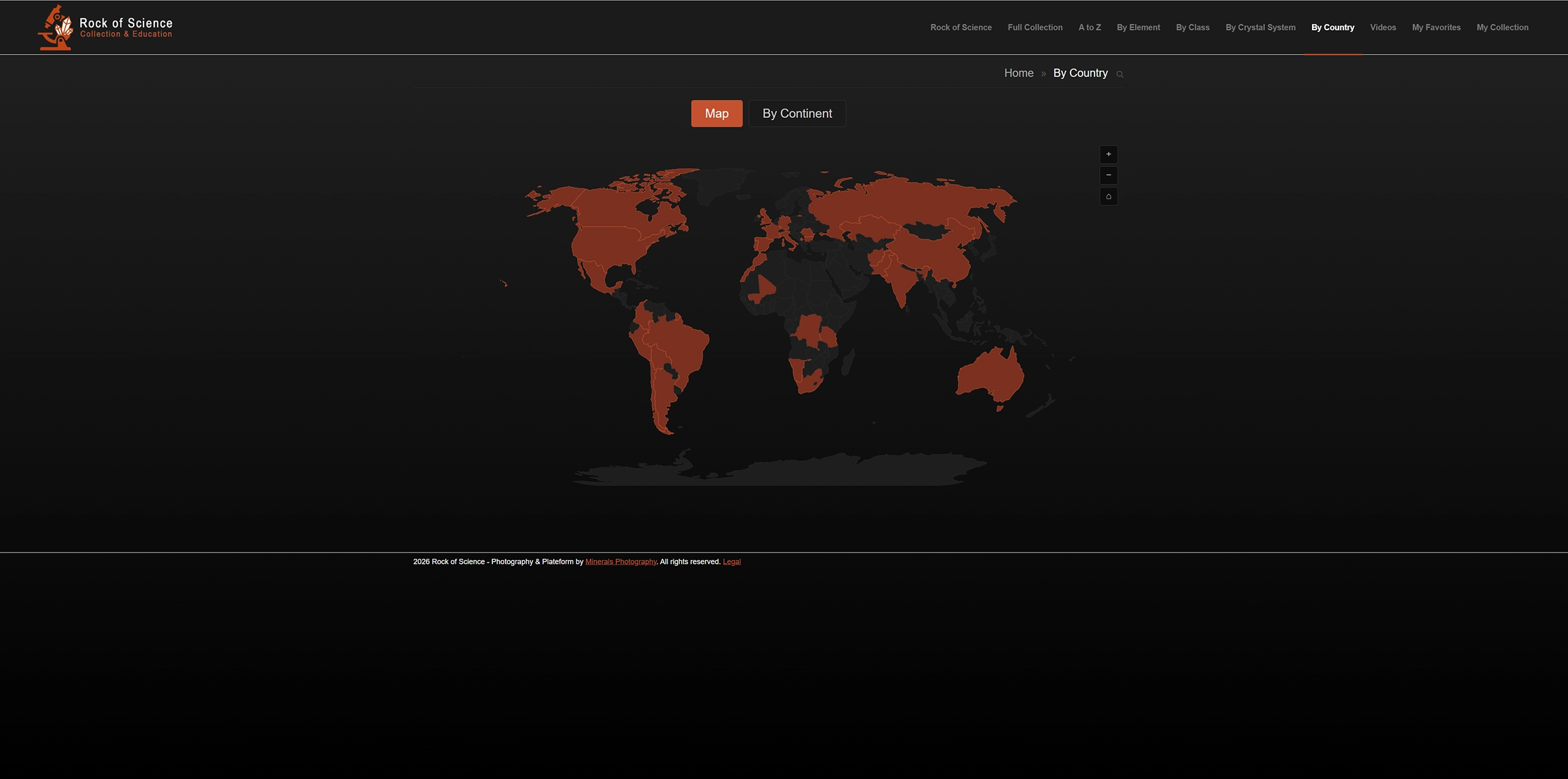
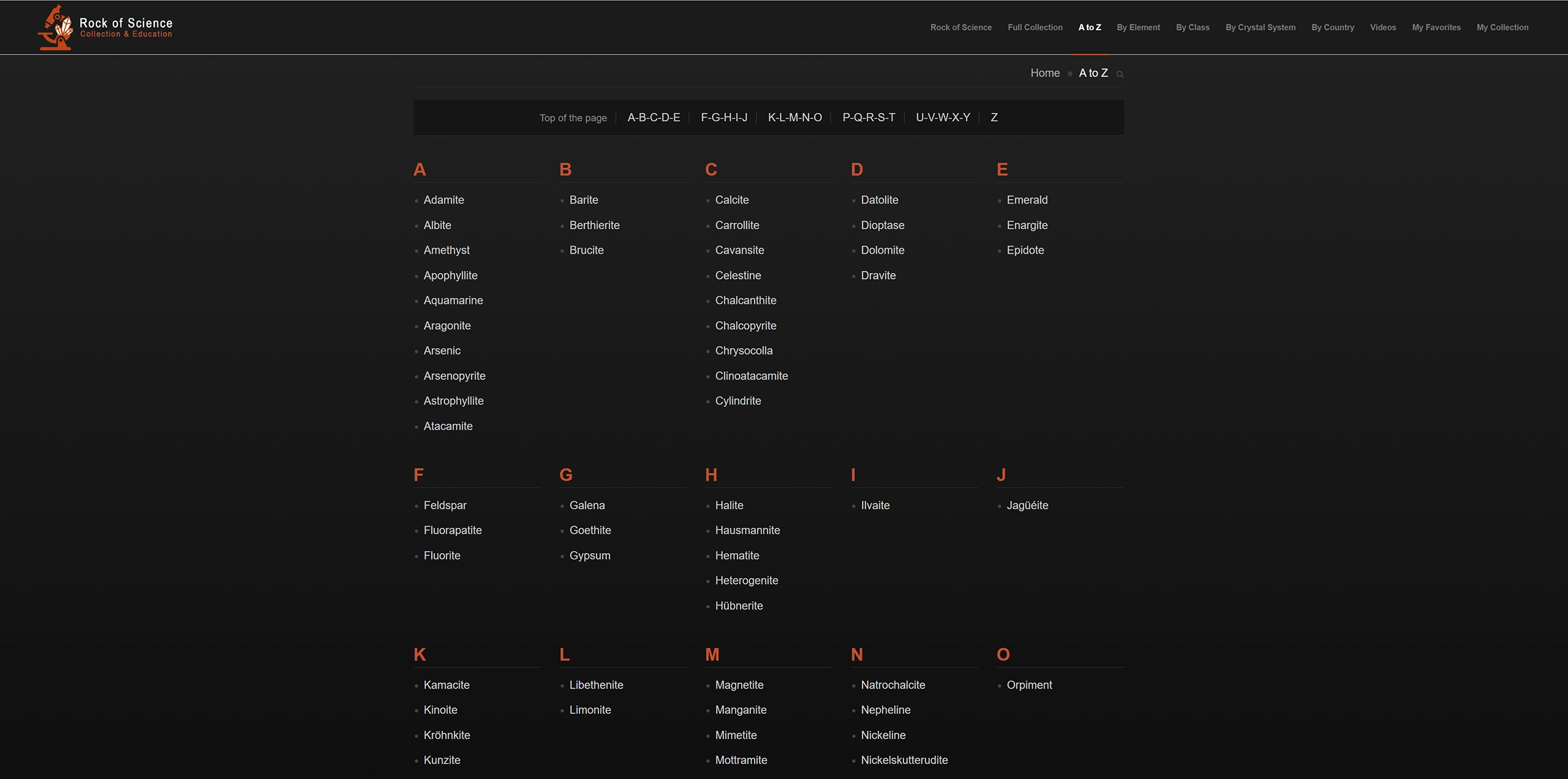
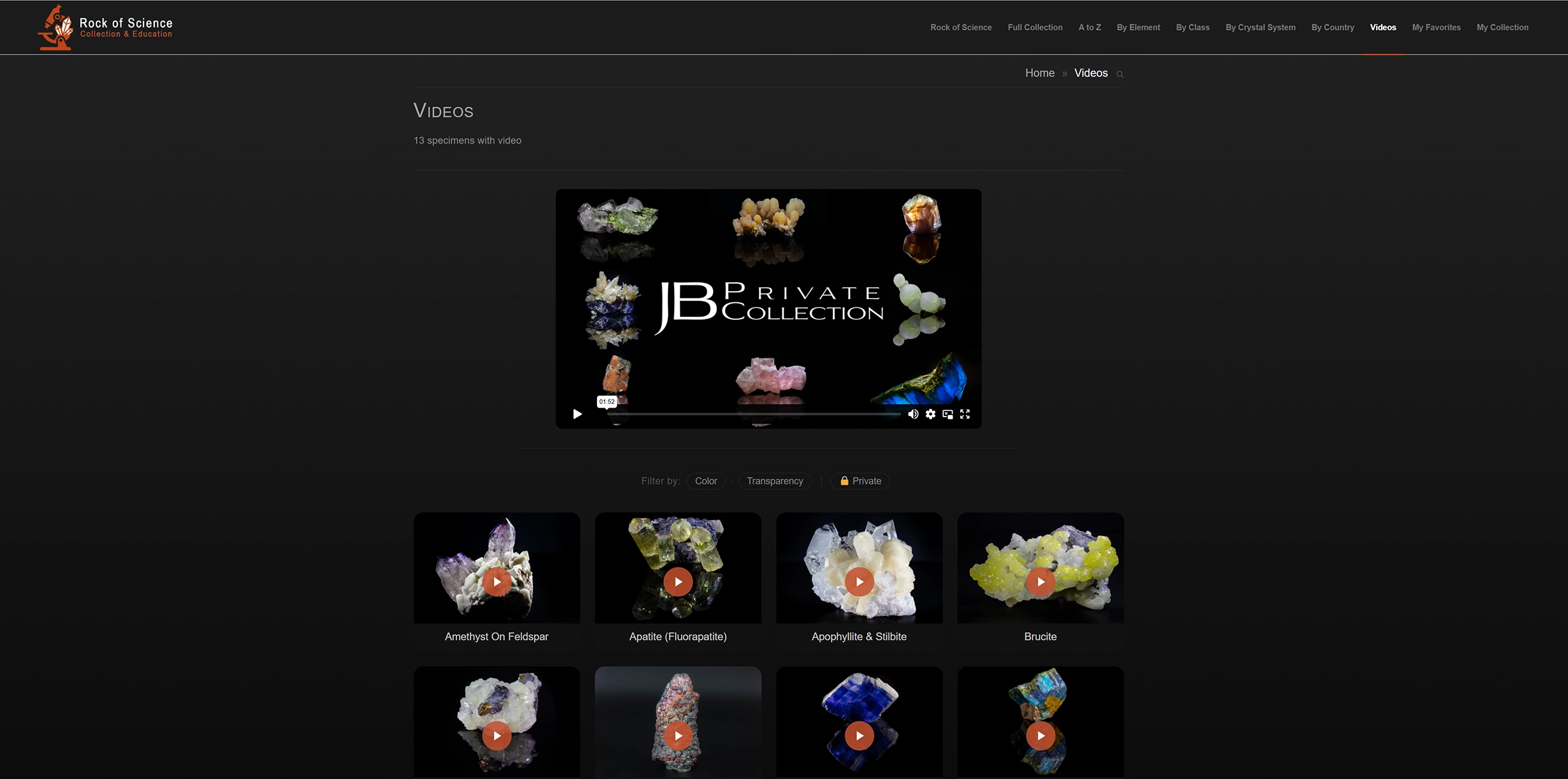
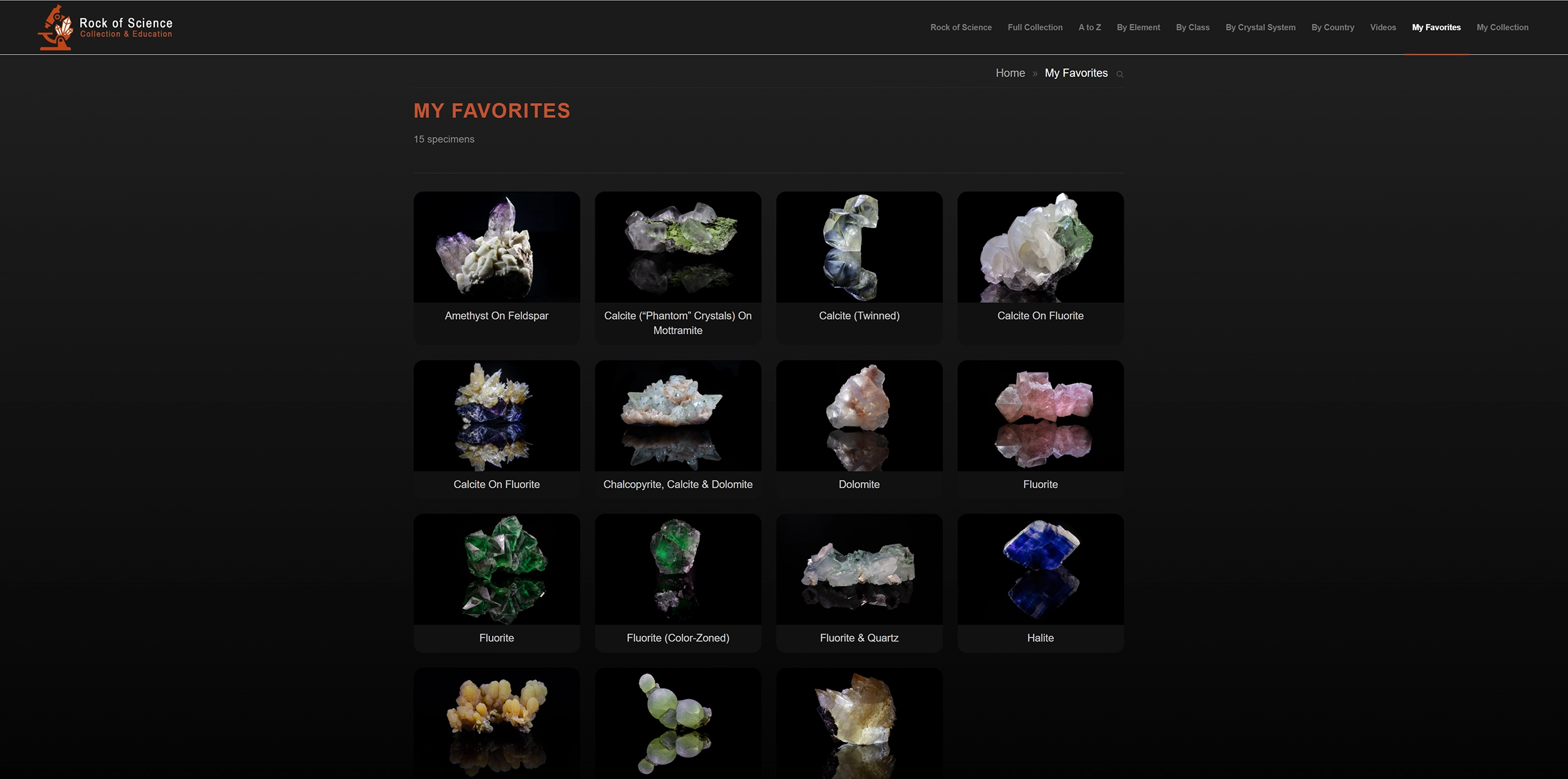
Each Specimen, Its Own Page
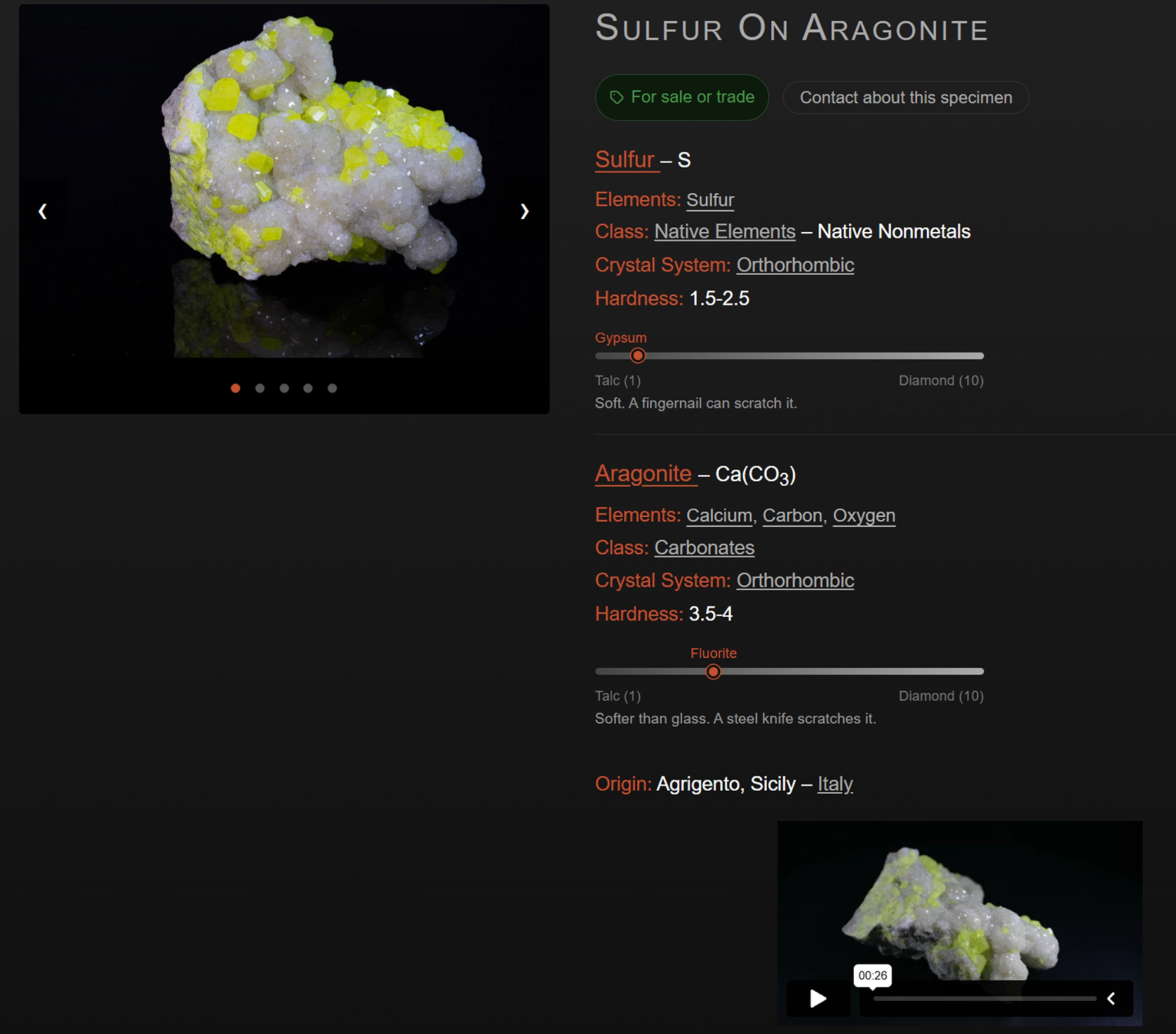
Each mineral has its own page: a photo gallery on one side, the complete record on the other. A specimen can hold several minerals, each with its formula, elements, family, crystal system and hardness. A visual bar places each one between talc and diamond, with a plain line on what that hardness means in the hand: whether it scratches glass, whether a fingernail marks it.
Every element, family, crystal system and country on the page is a link, so one specimen leads naturally to the next, and the pieces it suggests follow how the visitor arrived, never at random. For any piece you have marked for sale or trade, a contact button reaches you directly.
Managed From a Single Screen
Add a specimen and it is online the moment you save it. That is the whole operation. You stay a collector, and the catalog keeps up with you.
Every day-to-day act is yours: add a piece, change a price, invite a guest, hide a page. You never wait on anyone to keep your collection current. You are on your own as much as you want to be, and no more: a question, a piece that does not fit the mold, and we are there.
The science fills itself in
Type the first letters of a mineral name, and matches rise from a reference of more than 6,200 minerals recognized by the International Mineralogical Association. Choose one, and the formula, the hardness, the family, the crystal system and the elements settle into place on their own. You name the piece; the science is already there.
No reference holds every mineral, and a serious collection always reaches past it: a variety, a subspecies, a piece the records have not caught up with. When yours does, the data behind it is added for you, so the specimen stands complete alongside the rest, not a blank you were left to fill.
Your photographs, in a few gestures
Bring in your own images, or the ones your photographer delivered, and arrange them in the order that shows the piece best, a turntable video among them. The rest of the record sits on the same screen: the locality and country, the dimensions, the collections a piece has passed through, and a field left open for whatever you alone would think to note. This is where the work done in front of the lens reaches the people who will see the collection.
From the glass cabinet to the page
Print a QR code for each specimen and set it beside the piece in your cabinet. A phone held to the label opens its full page: photographs, provenance, chemistry, everything you have recorded. The collection on your shelves and the collection online become one and the same.
As involved as you choose
You decide how much each person may touch. Five roles climb from someone who only keeps the books to someone who manages the whole collection. One rule runs through all of them: whatever a role may not change, it does not even see.
 Registrar
Records and accounts
The books and logistics: prices, values, acquisition, status, storage, and whether a piece is for sale. The science, the photographs, the origin and the notes are not just locked, they are not even shown. For an accountant or an assistant.
Registrar
Records and accounts
The books and logistics: prices, values, acquisition, status, storage, and whether a piece is for sale. The science, the photographs, the origin and the notes are not just locked, they are not even shown. For an accountant or an assistant.
 Registrar+
Records, origin and notes
Everything the Registrar does, plus origin and dimensions, provenance, specimen and conservation notes, and favorites. The scientific data and the photographs stay out of reach, and out of sight. For a trusted assistant who documents a piece but never alters it.
Registrar+
Records, origin and notes
Everything the Registrar does, plus origin and dimensions, provenance, specimen and conservation notes, and favorites. The scientific data and the photographs stay out of reach, and out of sight. For a trusted assistant who documents a piece but never alters it.
 Curator
Builds and edits
Full editing of every piece: scientific data, photographs, video, the minerals themselves, and new specimens. Nothing can be deleted. For whoever builds the collection day to day.
Curator
Builds and edits
Full editing of every piece: scientific data, photographs, video, the minerals themselves, and new specimens. Nothing can be deleted. For whoever builds the collection day to day.
 Steward
Full control
Everything a Curator does, and the right to delete a specimen outright. For someone you trust with the whole collection.
Steward
Full control
Everything a Curator does, and the right to delete a specimen outright. For someone you trust with the whole collection.
 Steward+
Full control, all photographs
Everything a Steward does, with one more reach: the photographs already on the site. This role can draw from every image the collection holds and place it where it belongs, working hand in hand with the photographer.
Steward+
Full control, all photographs
Everything a Steward does, with one more reach: the photographs already on the site. This role can draw from every image the collection holds and place it where it belongs, working hand in hand with the photographer.
You set the role when an account is created, and it can rise as trust grows.
What Only You See
Your figures stay yours
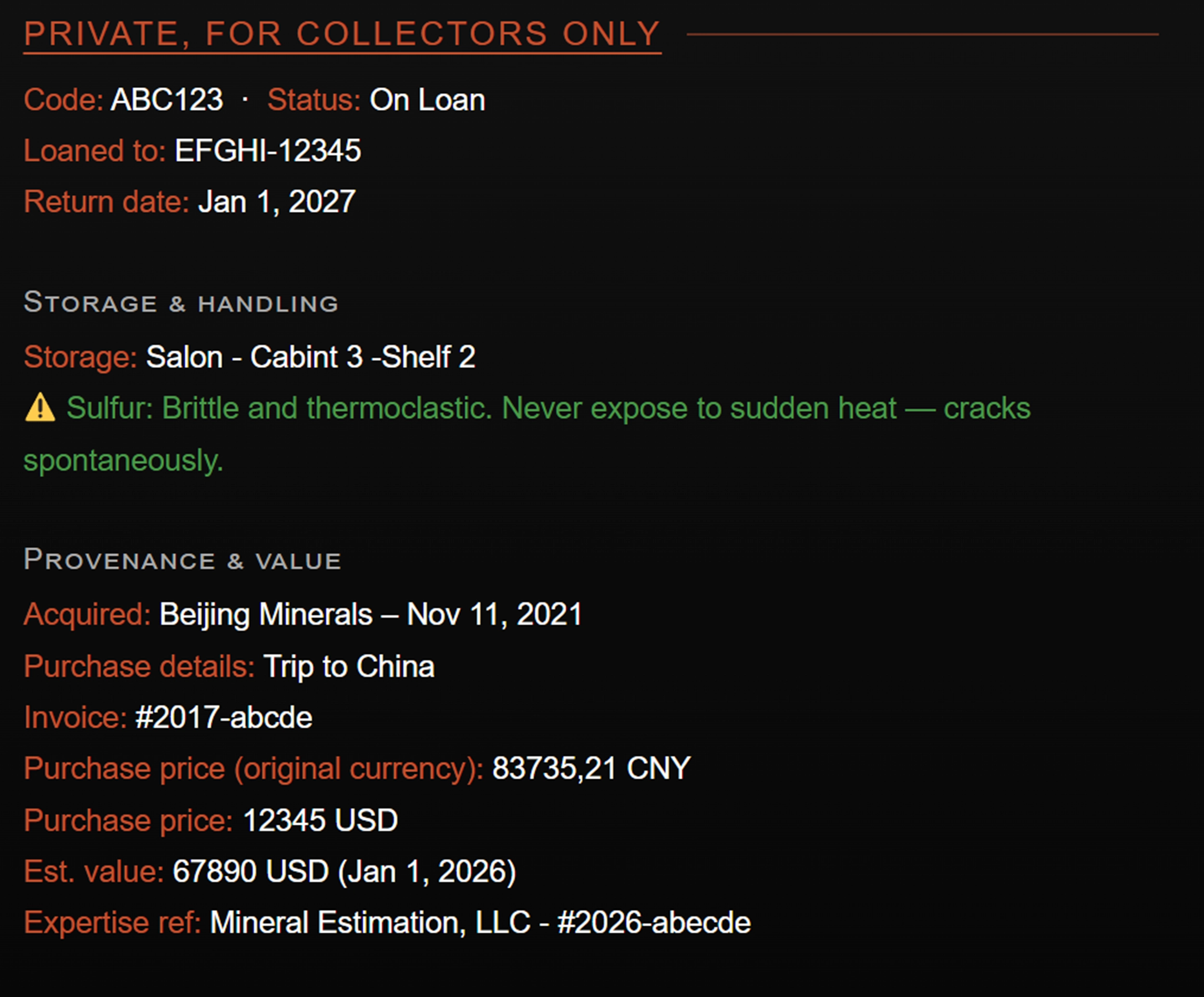
Purchase prices, estimated values, acquisition sources, invoice references, storage locations, loan status, conservation alerts: visible only to you, logged in as the owner. No visitor sees them, no guest, whatever their access. They surface in one place only: the documents you generate for yourself.
An inventory only you can generate
One click, and your entire collection becomes a single document: every specimen with its photograph, a QR code, its full record and your own values, purchase and estimate. A complete inventory of everything you own, ready to print, to archive, or to give your insurer. Produced from the private layer no one else reaches.
A private acquisition diary
Sort the collection by purchase date and it becomes an acquisition diary: every piece in the order it entered, grouped by the month you acquired it. A quiet record of how the collection came together, year after year.
Sharing, Documents and Settings
A public link or a private invitation
 A Public Link
Shows your collection exactly as any visitor would see it: public specimens, no private data. One link, ready to send to anyone.
A Public Link
Shows your collection exactly as any visitor would see it: public specimens, no private data. One link, ready to send to anyone.
 A Private Invitation
Opens your full collection, private pieces included, for a window you set: seven days, thirty, ninety, or a year. They see the pieces, but never the figures. Revoke it instantly, label each one by name, and keep several active at once: one for a buyer in London, one for a show in Tucson, one for a colleague in Paris.
A Private Invitation
Opens your full collection, private pieces included, for a window you set: seven days, thirty, ninety, or a year. They see the pieces, but never the figures. Revoke it instantly, label each one by name, and keep several active at once: one for a buyer in London, one for a show in Tucson, one for a colleague in Paris.
Documents you can export
 Valued inventory
The complete inventory as a single printable document, one row per specimen. Yours to keep or to give your insurer.
Valued inventory
The complete inventory as a single printable document, one row per specimen. Yours to keep or to give your insurer.
 Excel inventory
Your entire collection exported as a spreadsheet, thirty-five columns covering the full record of each piece.
Excel inventory
Your entire collection exported as a spreadsheet, thirty-five columns covering the full record of each piece.
 QR labels
The labels behind the cabinet feature above: printable for every specimen, one at a time or in batches, on standard Avery or Herma sheets.
QR labels
The labels behind the cabinet feature above: printable for every specimen, one at a time or in batches, on standard Avery or Herma sheets.
You decide what shows
 The private curtain
Invisible in one switch
One switch, and the whole collection vanishes behind a private page. Invisible to everyone, until you decide otherwise.
The private curtain
Invisible in one switch
One switch, and the whole collection vanishes behind a private page. Invisible to everyone, until you decide otherwise.
 Your chosen entrance
Pick the first page
Choose the page visitors land on first. The collection opens exactly where you want it to.
Your chosen entrance
Pick the first page
Choose the page visitors land on first. The collection opens exactly where you want it to.
 Hide it, restore it
Nothing is lost
Take any page out of the menu and bring it back whenever you like. Nothing is lost, and nothing has to be rebuilt.
Hide it, restore it
Nothing is lost
Take any page out of the menu and bring it back whenever you like. Nothing is lost, and nothing has to be rebuilt.
 Each filter, your call
One by one
Show or hide each filter on its own, so visitors browse the collection exactly the way you intend.
Each filter, your call
One by one
Show or hide each filter on its own, so visitors browse the collection exactly the way you intend.
 Keep the incomplete aside
Undetermined pieces
Specimens still missing a class, a system or a country can be kept out of public view until you complete them, so visitors only ever see finished records.
Keep the incomplete aside
Undetermined pieces
Specimens still missing a class, a system or a country can be kept out of public view until you complete them, so visitors only ever see finished records.
Hosted, Protected, and in Your Pocket
Everything runs on our own infrastructure. You install nothing, host nothing, maintain nothing: it is all handled for you.
 A private server
Yours alone
Your collection lives on its own private high-performance server. You install nothing and host nothing, and it is kept current for you.
A private server
Yours alone
Your collection lives on its own private high-performance server. You install nothing and host nothing, and it is kept current for you.
 Daily backups
Thirty days of history
Saved automatically every day, with thirty days of restore history behind it. Nothing is ever lost.
Daily backups
Thirty days of history
Saved automatically every day, with thirty days of restore history behind it. Nothing is ever lost.
 Secured
SSL throughout
Protected by SSL from end to end, so the collection and everything in it stay private and safe.
Secured
SSL throughout
Protected by SSL from end to end, so the collection and everything in it stay private and safe.
 Fast worldwide
A global network
Delivered through a global network, so the collection loads quickly wherever in the world it is opened.
Fast worldwide
A global network
Delivered through a global network, so the collection loads quickly wherever in the world it is opened.
 In your pocket
A standalone app
Installs on your phone or tablet as a standalone app, no App Store in the way. Your whole collection, at a show, with a buyer, wherever you are.
In your pocket
A standalone app
Installs on your phone or tablet as a standalone app, no App Store in the way. Your whole collection, at a show, with a buyer, wherever you are.
An Annual Subscription
1
First Year
Setup and subscription
Setup and configuration
Live onboarding session
A written reference guide you keep
A follow-up check-in after your first weeks
Everything in year two, included from day one: hosting, daily backups, SSL, updates and maintenance.
2
From Year Two
Everything continues
Hosting on a dedicated server
Daily backups, thirty days of restore history
SSL certification and all platform updates
Ongoing maintenance
If your subscription ever ends, the collection stays reachable for six months, and your full inventory exports in a single file. The catalog is yours, and so is the way out: your data leaves with you, whole, whenever you choose. Nothing is locked in.
Pricing is available on request. Every collection is different, and we prefer a conversation before a quote. Contact us to tell us about yours.
See It Live: rock-of-science.org
rock-of-science.org is a real mineral collection running on this platform. Browse the specimens, navigate by element, by country, by crystal system, by family. Everything on this page is live there. What a visitor sees is the public face; what the owner sees, logged in, is the same collection with its private layer showing: prices, provenance, storage, the acquisition diary. One collection, two realities.
Who It Is For
For collectors who know their specimens by provenance, by chemistry, by the mine and the country each came from, and who want the record to match the care that built the collection. This is not a photo album, and not a gallery with labels. It is a structured, scientific, private and shareable mineral collection catalog, and you run all of it yourself, as easily as you would keep any catalog of your own.
Minerals Photography is a specialized service of Camarda Visual Studio LLC, a visual communication studio based in Farmington, Connecticut. Camarda Visual Studio deploys and manages your platform.
Adapted to Your Collection
The platform does a great deal as it stands, but no two collections are alike, and neither are their owners.
If something you need is not described here, ask. What looks complicated is sometimes simple, and what looks simple is sometimes not, so the only way to know is to tell us. When it can be done, we do it.
Tell us about your collection